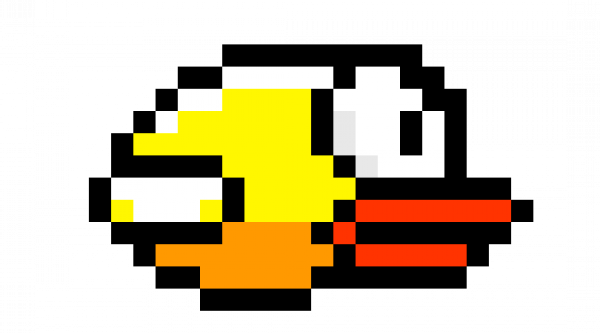
Flappy Bird was chosen because its gameplay is simple yet demanding from a real-time systems perspective. Smooth animation, precise collision detection, and responsive controls require careful timing and efficient memory usage, especially when implemented without dedicated graphics hardware.
The project builds on publicly available RP2040 VGA graphics libraries. Several characteristics of our code, like the use of direct digital synthesis or fixed point arithmetic, are adapted versions of the models provided by Bruce Land or Hunter Van Adams on the Cornell ECE 4760 Demo Code. All third-party code and references are explicitly cited in later sections in this website.
This project makes use of mathematics to generate visuals, audio, and provide realistic gameplay dynamics. Explore these applications below:
Our bird, Flappy, only flies up and down along a fixed x-coordinate, and the obstacles scroll from right to left at a constant velocity. This allows us to use simple one-dimensional kinematic equations to model Flappy's vertical motion under constant gravity.
In continuous time, vertical motion under gravity is described by:
dv(t) dt = g, dy(t) dt = v(t)
where g is gravitational acceleration, v(t) is vertical velocity, and y(t) is vertical position.
Our system operates in discrete time, updating once per video frame. Therefore, the equations become:
v[n + 1] = v[n] + g
y[n + 1] = y[n] + v[n + 1]
In our code, gravity is implemented as a fixed-point constant added to the bird’s vertical velocity each frame, and a flap is modeled as an instantaneous negative velocity impulse.
To enhance realism, the bird sprite is rendered with a rotation that reflects its arched trajectory as it flaps up and down. This rotation is rooted in standard two-dimensional coordinate transformation math. If the bird sprite is a collection of pixels in the coordinate frame, each with coordinate (x, y), then a rotation about the origin by angle θ is accomplished by:
or
x′ = x cosθ − y sinθ, y′ = x sinθ + y cosθ
The trigonometric values sinθ and cosθ, as well as degree-to-radian conversions, are computed
once per frame and stored as fixed-points, avoiding unncessary repeat calculations. The drawFlappyBirdSpriteRotated
function iterates through the pixels in the sprite, decodes the pixel's color and transparency, and finds the position vector of a given
point in the sprite from the sprite's center. Using the aforementioned rotation formulas, these vectors are transformed and added
to the local coordinates to find the coordinate of the transformed point, which is then drawn.
To prevent abrupt changes in the bird's orientation, the rotation angle is updated via a smoothing filter (with alpha = 0.15):
θn+1 = θn + α(θtarget − θn)
This code, contained in update_bird_angle gradually shifts the rotation angle of the bird to target_angle.
Based on the sign and magnitude of vy, a target rotation angle is selected:
The background music for our game is generated using direct digital synthesis (DDS), which uses a phase accumulator that advances at a rate proportional to the frequency of the musical note being produced. We used ChatGPT to generate a melody, which is stored as the frequencies (Hz) of the eight notes.
At each audio sample:
Φ[n+1] = Φ[n] + ΔΦ
where Φ is the accumulator and ΔΦ is the phase increment. The output frequency f is determined by
where fs is the sampling frequency.
Our program initializes the arpeggio by calculating the appropriate phase increments
for each note frequency. The accumulator value is then used to index into a table containing a
periodic waveform created with init_bgm_table(). Each table index represents a discrete
phase value, obtained by masking the index to an 8-bit phase range (0-255). By accessing these values within
an interrupt service routine, we ensure rapid, evenly spaced audio sample generation.
To produce smooth sounding notes that fit a lo-fi style background track, our precomputed DDS waveform linearly ramps upward from 0 to 4095, the maximum value the digital-to-analog converter allows, and linearly ramps back down to 0 after.
The system supports three distinct gameplay modes: a physical button, a microphone input for sound-triggered flapping, and an inertial measurement unit (IMU) that allows the player to control the bird by waving the remote. Once in a mode, the game begins once the program receives the first player input, whether thats a press of the arcade button, loud sound, or tilt of the remote. Inputs from all peripherals are processed in protothread_input.
The system is divided across both RP2040 cores. Core 0 is responsible for VGA graphics generation, game state updates, physics, collision detection, and rendering. Core 1 handles asynchronous input sources including the microphone, IMU, and mode-selection buttons. This division allows the graphics pipeline to meet strict frame timing requirements while still responding to real-world inputs.
VGA output is generated using PIO state machines and DMA transfers to stream pixel data with high precision. Audio output is produced through an external SPI DAC, with sound effects handled via DMA for low-latency playback and background music synthesized using direct digital synthesis (DDS) driven by a hardware timer interrupt.
Together, these components form a tightly integrated embedded system that demonstrates real-time graphics, audio, sensing, and control on a single microcontroller.