Hardware Design
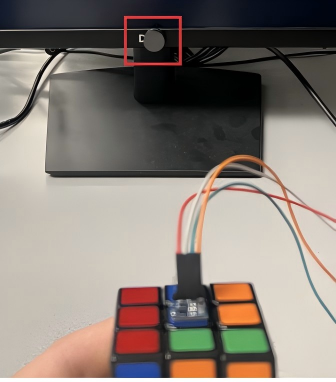
Our hardware consists of an RP2040 microcontroller, an MPU6050 IMU, a GY271 magnetometer, a VGA display, and an 8-button input module (six colors + NEXT + DELETE), plus a magnetic reference fixture.
System Hardware Configuration
The configuration consists of an RP2040, an MPU6050 IMU, a GY271 magnetometer, a VGA display, and eight push buttons. To achieve accurate real-time 3D orientation tracking, we aligned the XYZ axes of the MPU6050 and GY271 and mounted the sensors rigidly to preserve a consistent body frame throughout operation.

MPU6050 IMU (Accelerometer + Gyroscope)
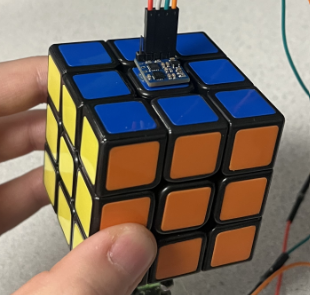
The MPU6050 was placed on the cube’s down face. In our TRIAD pipeline, we used the accelerometer to construct the gravity-related reference vector v1. We did not rely on the gyroscope since it requires integration and bias compensation and tends to drift. We also applied a low-pass filter to the accelerometer data for a more stable gravity estimate and smoother 3D visualization.
For the MPU6050 in our coordinate convention: left is the x-axis, toward the user is the y-axis, and upward is the z-axis.
GY271 (Magnetometer)
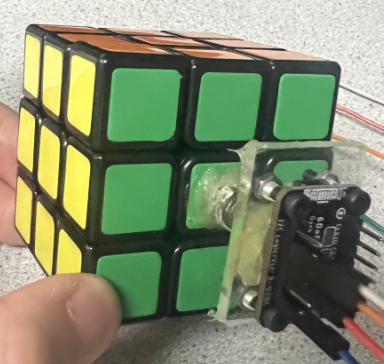
The GY271 was placed on the cube’s up face. It provides a reference direction independent of gravity and is used to construct TRIAD’s second reference vector v2, completing heading information for full 3D orientation estimation.
To avoid weak/disturbed indoor magnetic fields, we added a small magnet to produce a strong and repeatable field. For the GY271, our axes convention matched the MPU6050 (left=x, toward user=y, upward=z). The MPU6050 and GY271 axes were aligned, and the sensors were mounted on bottom/top faces of the cube.
8-Button Color Input Module
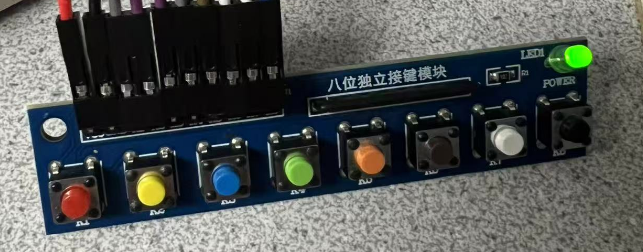
We required six buttons to enter the six face colors, plus NEXT and DELETE for state transitions and error recovery. We used an 8-button color input module so users could identify colors more clearly. The brown button was used for NEXT and the black button for DELETE.
Magnetic Reference Fixture
We used a small permanent magnet to provide a strong and repeatable magnetic field reference for the GY271. Indoors, the Earth’s magnetic field can be weak and easily distorted; the magnet improves robustness and makes debugging/calibration easier.